PJD
Well-Known Member
To get familiar with how the S5iiX records ProRes HQ video using the V-Log LUT, I shot a quick test at ISO 640, with Zebras set at 95%. I shot 5776 x 3056 resolution, but of course resolution doesn't affect exposure or Zebras. I did a custom in-camera white balance on the grayscale chip chart.
I noticed in V-Log you can't set Zebras higher than 95%, which you can do with many of the other built-in LUTs. I'm not sure why that is, but it's not a problem. This test showed me that with V-Log, anything past 95% has little or no detail in it. Now I know anything white/shiny that shows 95% Zebras will clip >100% if you raise exposure even just 1/3 stop more. Of course, sometimes you want part(s) of an image to clip past 100%; it’s a matter of taste. But the cam’s Zebras are accurate & predictable.
When I brought the video clips into Davinci Resolve Studio, I used its Color page to do a one-click color correction using the “OneShot” color chart in the frame. No other adjustments.
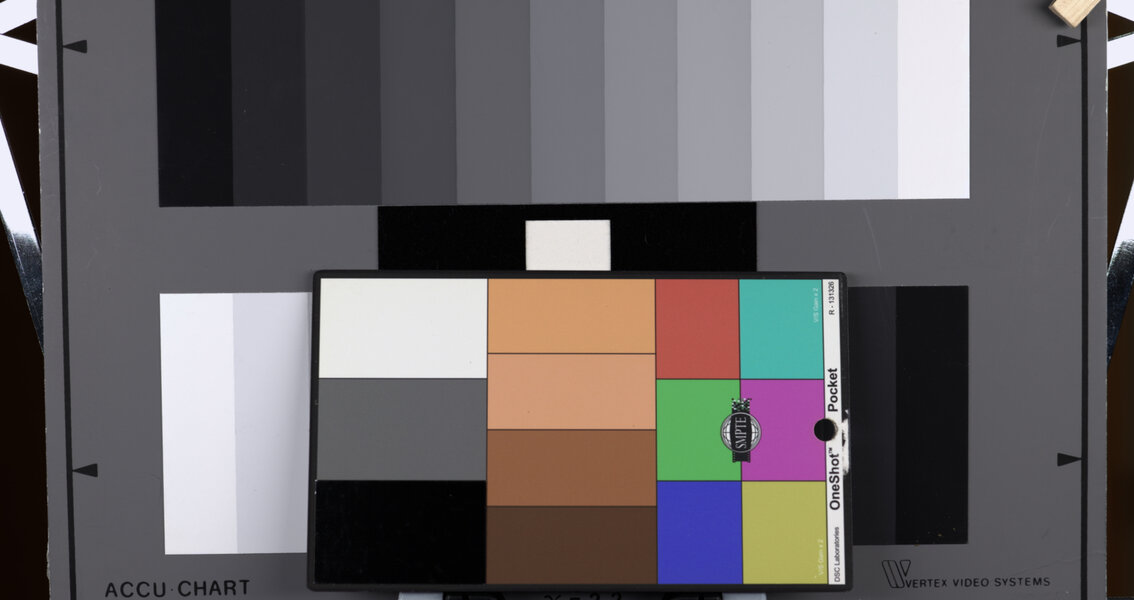
In the 1st grab, notice the white “chips" in the upper-right (and lower-left) corners of the grayscale chart.
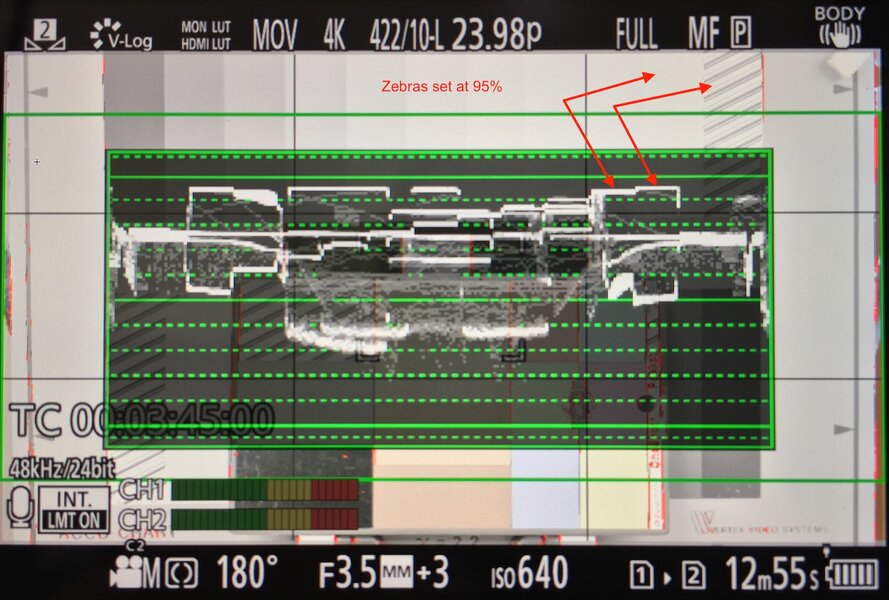
On the S5iiX LCD, the white chips displayed 95% Zebras, because that’s what I'd set the camera’s zebras to, and I adjusted the camera’s exposure so Zebras would _just_ barely appear there. The camera’s Waveform monitor indicated the white chips were just a hair below clipping 100%. If I adjusted the exposure down “one click” (1/3 of a stop darker), the Zebras disappeared.
Davinci’s Waveform monitor also confirmed the white chips were at 95%, just a hair below clipping. So, the camera’s WF and Davinci’s WF agree. Hooray!
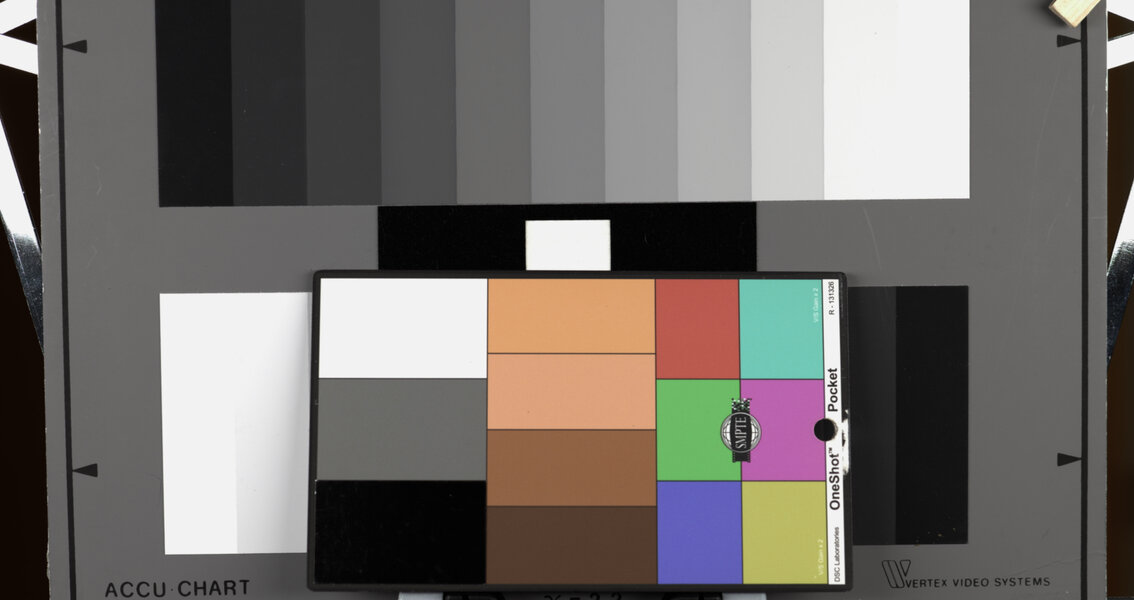
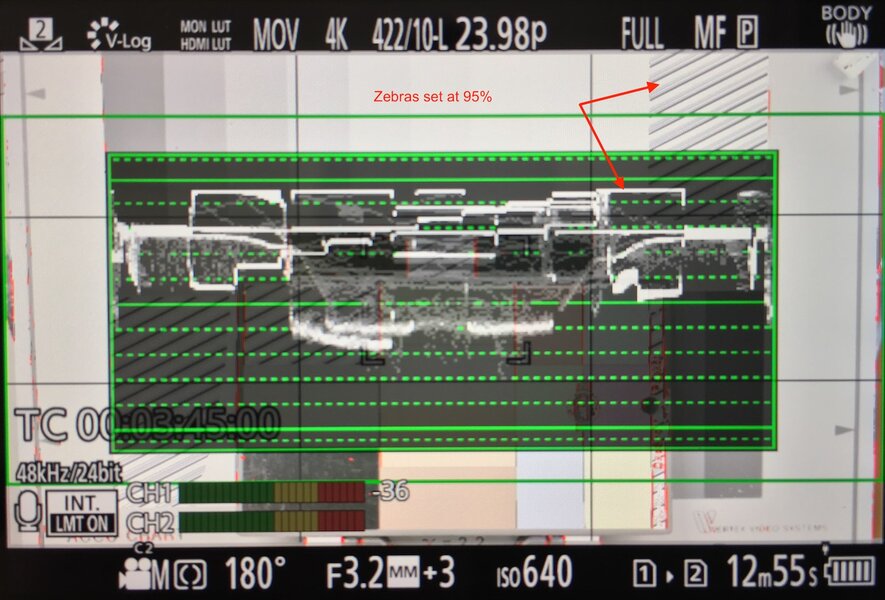
In the 2nd grab below, the cam’s LCD displayed 95% Zebras in both of the TWO upper-right (and lower-left) white chips, because I’d adjusted the cam’s exposure UP one click (1/3 stop brighter). For example, this caused the upper-right chip to over-expose, and the chip to its left to be at 95%. As expected, the clipped whites >100% were unrecoverable in Davinci.
I noticed in V-Log you can't set Zebras higher than 95%, which you can do with many of the other built-in LUTs. I'm not sure why that is, but it's not a problem. This test showed me that with V-Log, anything past 95% has little or no detail in it. Now I know anything white/shiny that shows 95% Zebras will clip >100% if you raise exposure even just 1/3 stop more. Of course, sometimes you want part(s) of an image to clip past 100%; it’s a matter of taste. But the cam’s Zebras are accurate & predictable.
When I brought the video clips into Davinci Resolve Studio, I used its Color page to do a one-click color correction using the “OneShot” color chart in the frame. No other adjustments.
In the 1st grab, notice the white “chips" in the upper-right (and lower-left) corners of the grayscale chart.
On the S5iiX LCD, the white chips displayed 95% Zebras, because that’s what I'd set the camera’s zebras to, and I adjusted the camera’s exposure so Zebras would _just_ barely appear there. The camera’s Waveform monitor indicated the white chips were just a hair below clipping 100%. If I adjusted the exposure down “one click” (1/3 of a stop darker), the Zebras disappeared.
Davinci’s Waveform monitor also confirmed the white chips were at 95%, just a hair below clipping. So, the camera’s WF and Davinci’s WF agree. Hooray!
In the 2nd grab below, the cam’s LCD displayed 95% Zebras in both of the TWO upper-right (and lower-left) white chips, because I’d adjusted the cam’s exposure UP one click (1/3 stop brighter). For example, this caused the upper-right chip to over-expose, and the chip to its left to be at 95%. As expected, the clipped whites >100% were unrecoverable in Davinci.