L-MOUNT Forum

Register a free account now!

If you are registered, you get access to the members only section, can participate in the buy & sell second hand forum and last but not least you can reserve your preferred username before someone else takes it.

Sigma 500mm F5.6 DG DN Sports

GeorgeHudetz

Well-Known Member
Joined
Mar 21, 2023
Messages
988
I’m going to start this off with a 100% crop from an image that was generated with the 500/5.6 & 2.0x TC (Sigma TC-2011). So, 1000mm focal length. F13.

This was handheld, and processed in from raw in Capture One. Diffraction correction enabled, as well as Enhanced Denoise, and some additional sharpening. S1RII.

Not much to look at artistically, but it’s interesting to see how well the lens holds up with a 2.0x TC.

i-KHbXzwx-X3.jpg
 
Last edited:
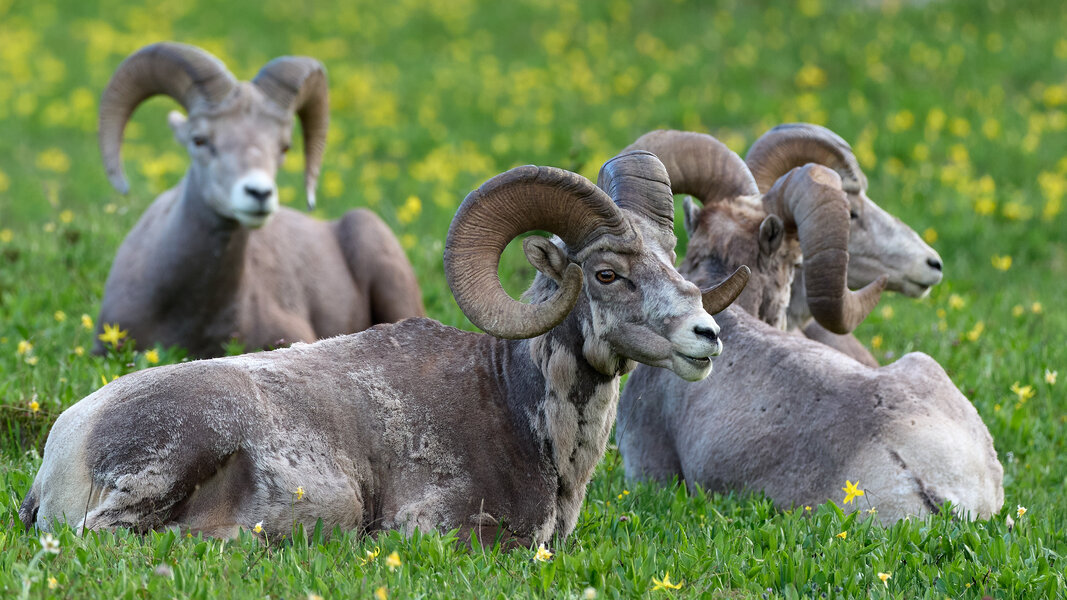
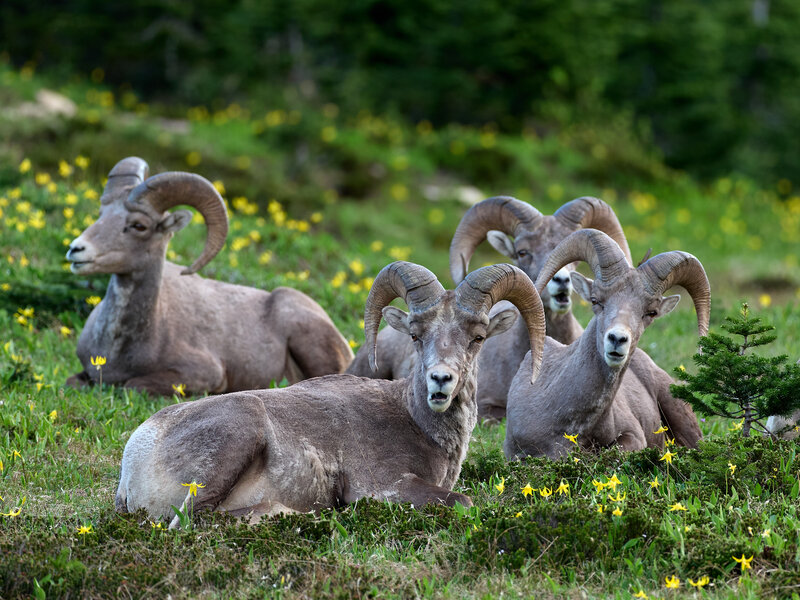
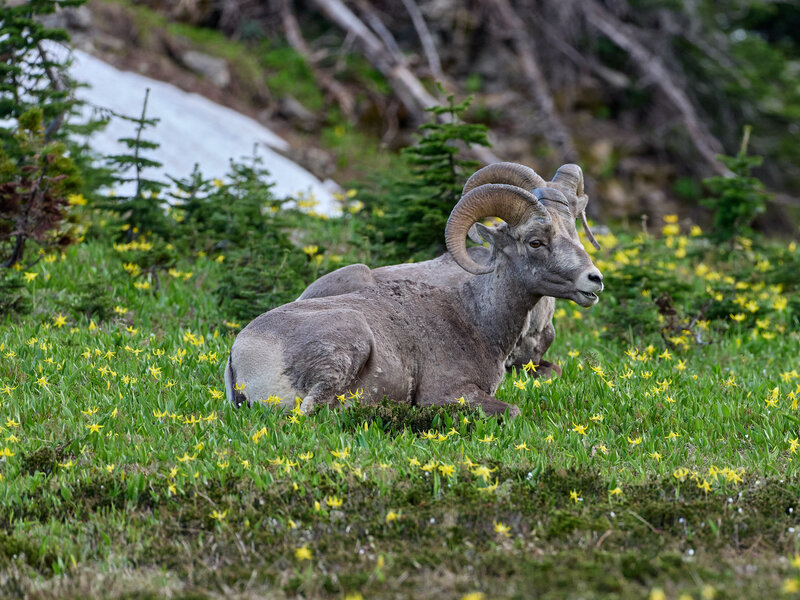
A few from my trip to Glacier NP in July.

P1402123%201-X4.jpg


P1391159%201-X4.jpg


P1391153-X4.jpg


P1391175-X4.jpg
 
Excellent shots, especially the moose.
 
Excellent shots, especially the moose.
That moose was in Fishercap lake, which is a short stroll from the Swiftcurrent Motor inn. He was there for several days - lots of folks lined up on the lake shore watching and shooting. I got some decent shots of him on a different day with the 28-200, but obviously much more cropping was required with that lens.

There was a mama and a baby moose there as well, but I only got glimpses of them. In fact, one afternoon while I was relaxing in my room, the mama and baby moose trotted through our little parking lot. They were there & gone before I could grab my camera. Additionally, some of the people I was with got shots of a juvenile black bear just sitting in some wildflowers. Total NatGeo material.

I never did see a bear on that trip, for better or worse.

Glacier NP is a wonderful place. But bears are a real threat there, if one is unlucky and/or unprepared.
 
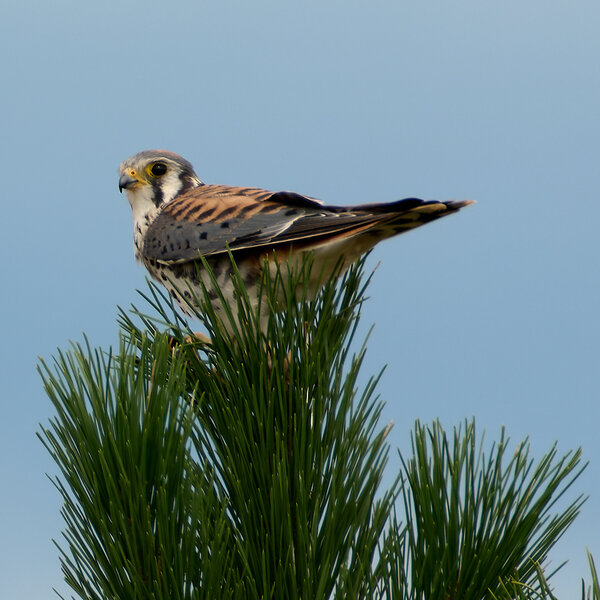
Here’s another image using the Sigma 2x TC - an American Kestrel I captured in my backyard. I’m quite happy with the results. This is cropped to roughly 1500x1500 (to keep the forum software happy) and thus is presented at 100%. It holds up well even when viewed at 200%.

Processing from raw in Capture One is as follows:

1. Activate Diffraction Correction.
2. Activate Enhanced Denoise
3. Add additional sharpening (amount = 366, radius = 1.2)
4. Adjust white and black points.

P1423622 1.jpg
 
Back
Top