L-MOUNT Forum

Register a free account now!

If you are registered, you get access to the members only section, can participate in the buy & sell second hand forum and last but not least you can reserve your preferred username before someone else takes it.

Moiré - S5ii

RuleOfThirds

Well-Known Member
Joined
Nov 16, 2023
Messages
1,035
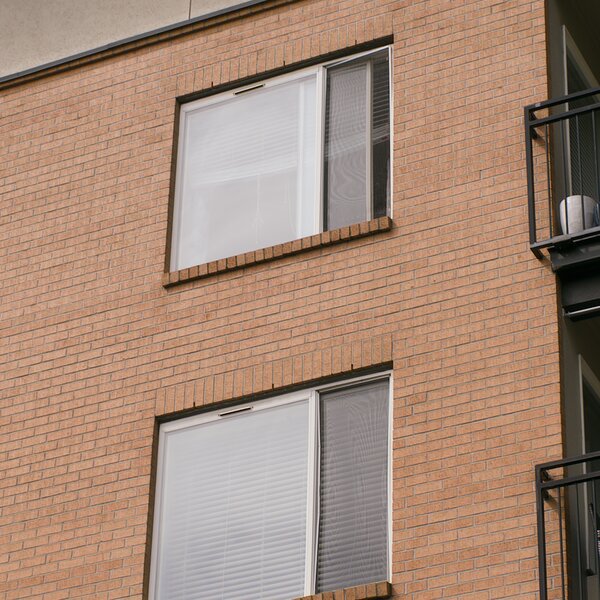
After examining my pictures from Amsterdam I noticed how much pictures were effected by the moiré effect. What can I do to fix/reduce that because it's really ugly. Maybe buy the 24-50 Typoch lens, not delivering enough resolution for it to show up... joking aside. Is the S1ii or S1ii-E better in this regard ? Or better with high resolution bodies, S1Rii or SL3 ?

Or has it to do with Adobe Lightroom ? How they process the raw files. Then I might have to switch to another software solution
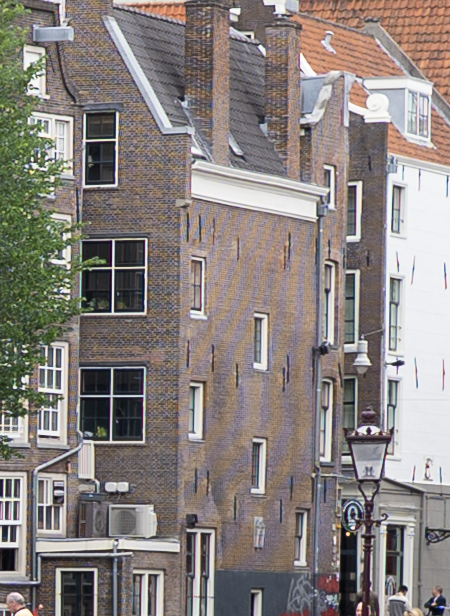
 
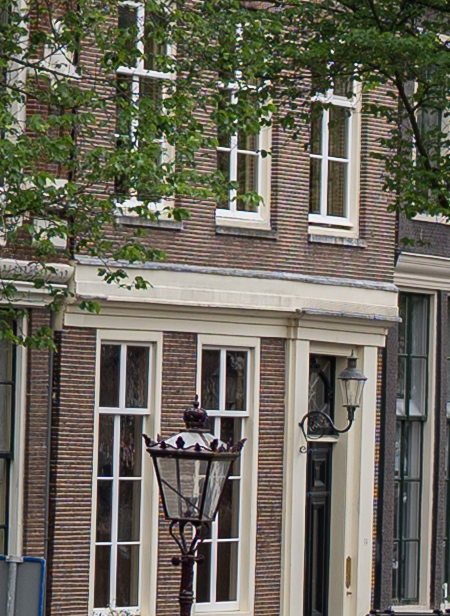
1780826911222.png


Bit more subtle
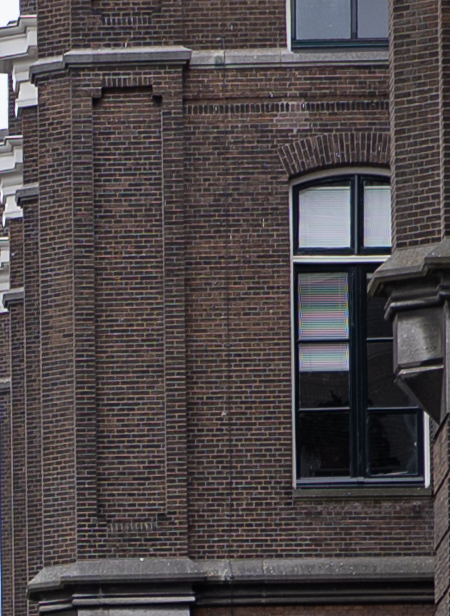
1780826985097.png


Extreme
1780827036538.png


But almost every brick house has a very subtle, but noticeable for me, some purple/greenish glow over it when using min aperture + 2 stops or so, so at the point that a lens becomes sharp. Little bit like to the bricks surrounding the extreme case of moiré. It's not very noticeable, but it is there.
 
Last edited:
That‘s a common problem for cameras without low pass filter. You get better sharpness but the risk of moiré patterns. Any photo editor should be able to handle this problem. Can´t Lightroom fix that automatically?
 
That‘s a common problem for cameras without low pass filter. You get better sharpness but the risk of moiré patterns. Any photo editor should be able to handle this problem. Can´t Lightroom fix that automatically?
I know it is inherent to no low pass filter. No, there is no setting I know off. But I’m also curious if a higher resolution sensor eliminates this. My previous 26mp ap-c Fuji did not show this at all, even with ultra sharp XF lenses like 90/2 or 18/1.4 and also no low pass filter
 
As I understand it, a higher resolution sensor will help minimize it, but not eliminate it. Perhaps it would work well for those shots, but I do not know.

If you want, send me a file and I’ll see how Capture One handles it.

Or, perhaps the Kolari drop in filter?
 
I think it is time to upgrade to SL3 and use it for 10 years :cool:. Putting my s5ii up for sale as well I guess. As is my 24-105 (not here, but could do that). Well S1rII is a realistic possibility. I guess S1ii will have the same moire pattern problem. The sensor layout of Fujifilm is partially is what it is because of combatting this moire introduced by bayer layout.
 
After examining my pictures from Amsterdam I noticed how much pictures were effected by the moiré effect.
Perhaps you missed the thread here on the forum about the Kolari OLPF filter. It looks like it should be a good solution for moiré.

I purchased one for my S1 Mk2 but have not had a chance to evaluate it yet. My experience with past cameras is that it is always an issue, and yes, improves somewhat with higher pixel count sensors, but it is still there. Also, it is generally a larger issue with video because moiré can wiggle around with a pan and is very distracting (so all high end video cameras have OLPF filters).
 
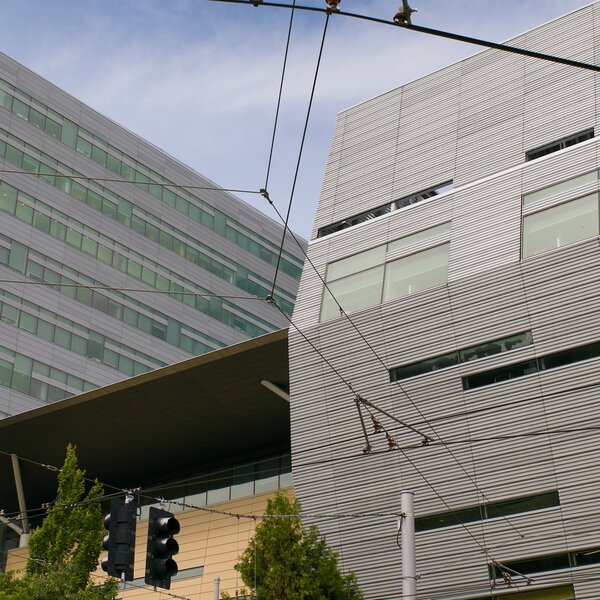
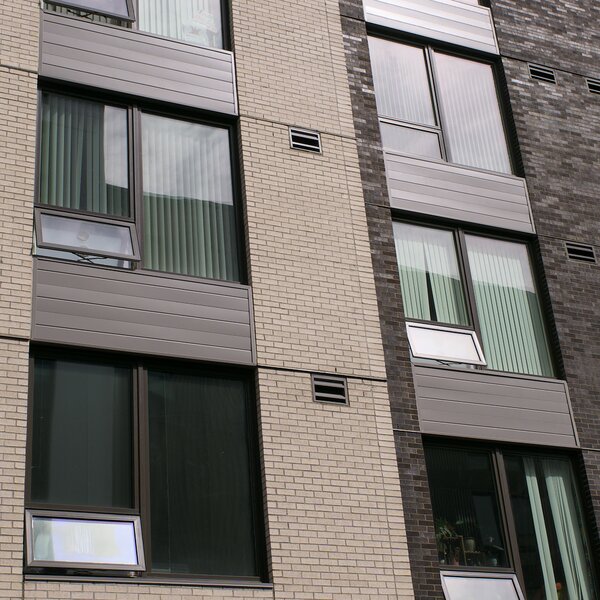
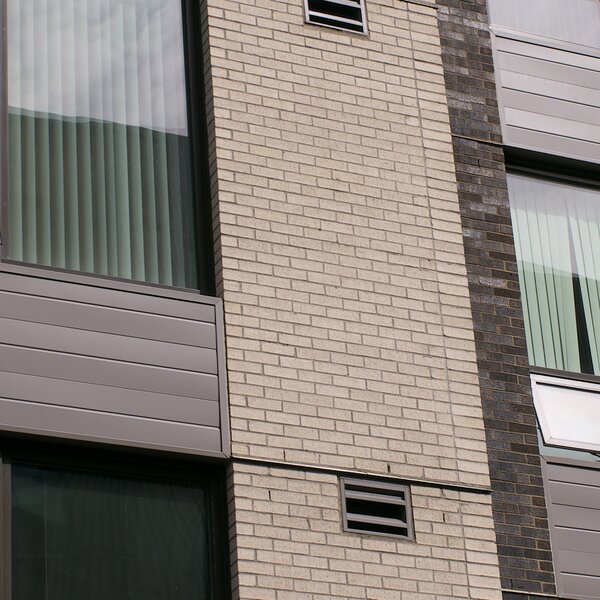
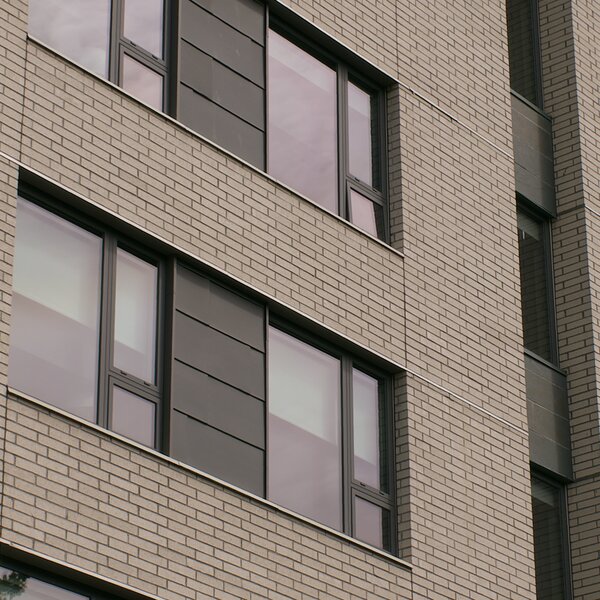
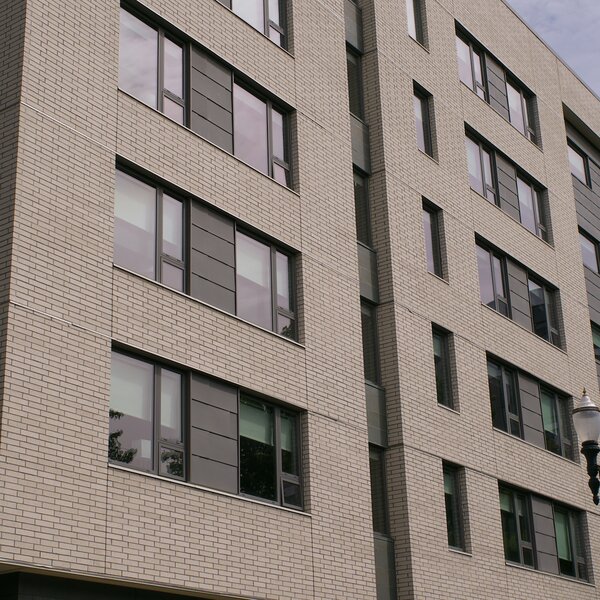
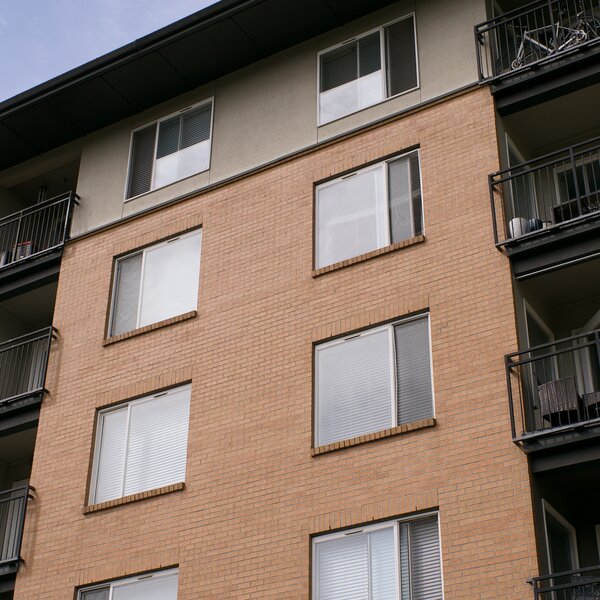
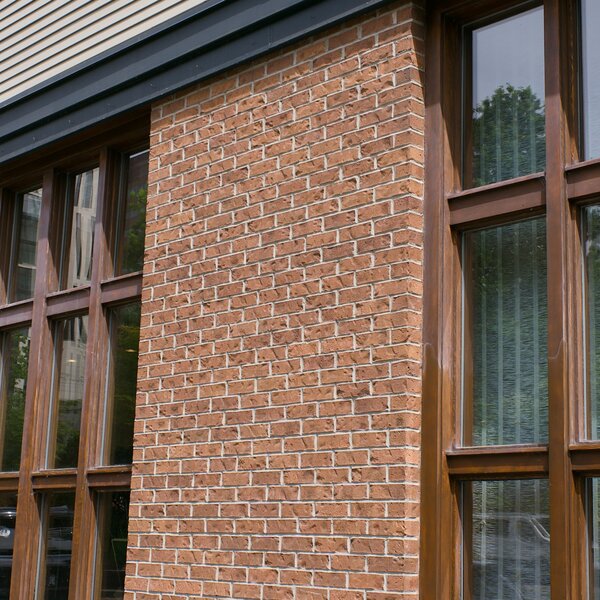
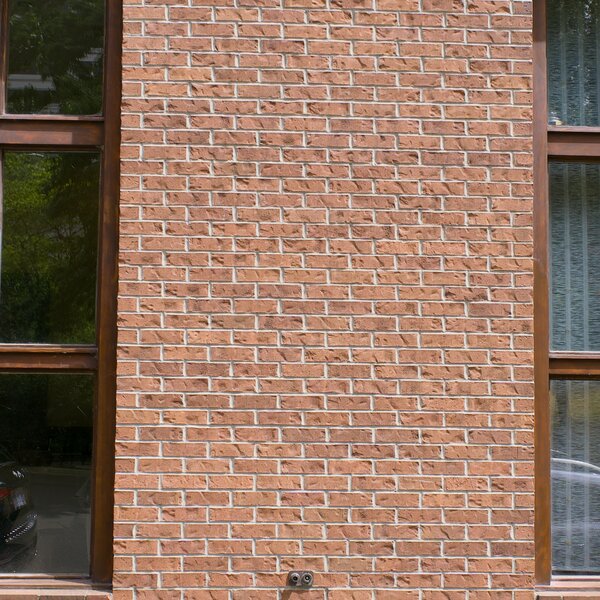
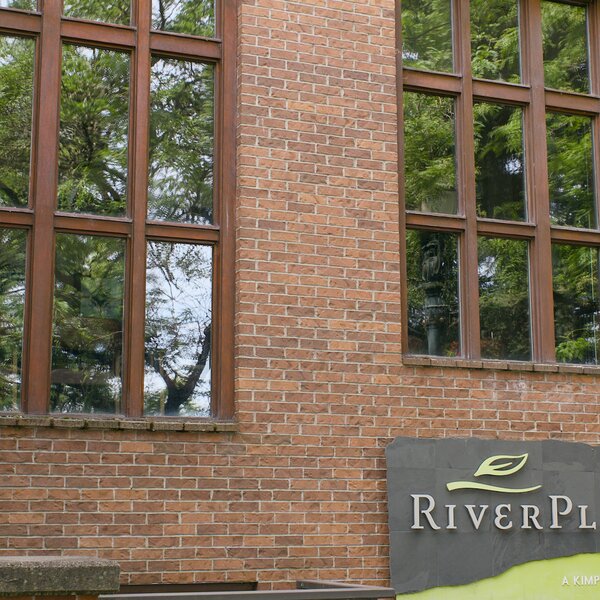
I photographed bricks & metal siding today. :) My S5iiX has a Kolari OLPF installed. These images are the middle 2000 x 2000 pixels cropped from 24MP and 96MP (HiRes) RAW files. I used Pixelmator Pro v3.8 to crop the photos, and to do a basic one-button auto-adjust, and 10% sharpness increase. PPro doesn't remove moire/aliasing. I exported the RAW photos out as 90% quality JPEGs. I only see objectionable moire/aliasing in one of these photos (the first one). I'm very happy with the filter's performance.
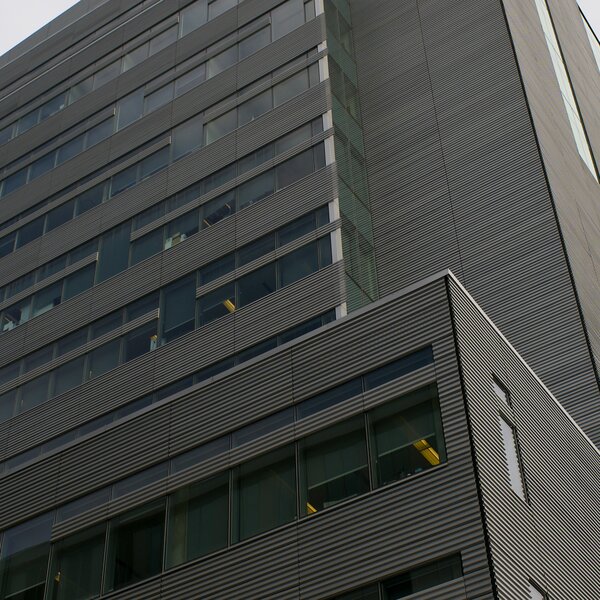
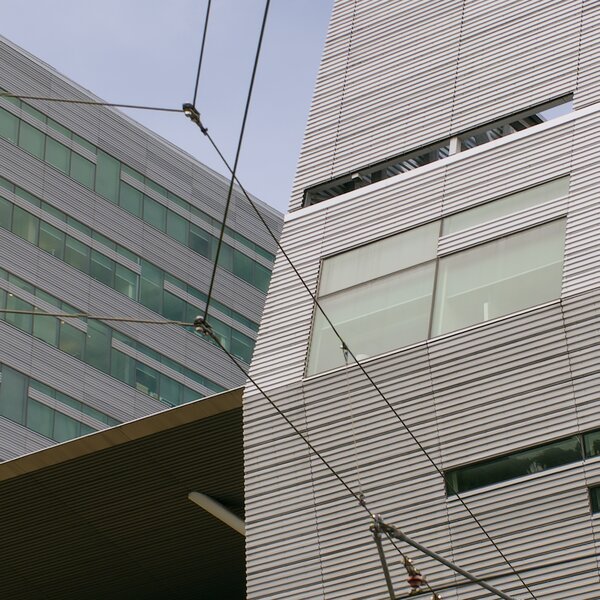
NOTE: View the images at 100%. Otherwise you'll see moire/aliasing caused by your monitor.
p1003066-bricks-crop.jpg

p1003067-bricks-96mb-crop.jpg

p1003071-bricks-96mb-crop.jpg

p1003070-bricks-crop.jpg

p1003065-bricks-crop.jpg

p1003064-bricks-96mb-crop.jpg

p1003063-bricks-96mb-crop.jpg

p1003062-bricks-crop.jpg

p1003061-bricks-crop.jpg

p1003060-bricks-96mb-crop.jpg


p1003040-bricks-crop.jpg

p1003039-bricks-crop.jpg

p1003037-bricks-crop.jpg
 
Last edited:
Thanks for that work @PDX. Yes, there is some moiré on the first one, and on the third from the last there is moiré on the window screens. But overall it is a very good performance by the Kolari OLPF. My expectation is that @RuleOfThirds photos in Amsterdam would be much improved with the Kolari.

Both Photoshop and Lightroom have a method to control/remove moiré. But I've never used them so I don't know how well they work. And I'm not far enough along with DaVinci Resolve 21 to know about it.
 
Back
Top