pdk42
Moderator
- Joined
- Dec 5, 2022
- Messages
- 2,596

Very gritty. I like it!The gloomy Urban S9 7Artsans m35/2 ii
View attachment 16098














 2025 NYC Dec 56 by fe_no_me_no, on Flickr
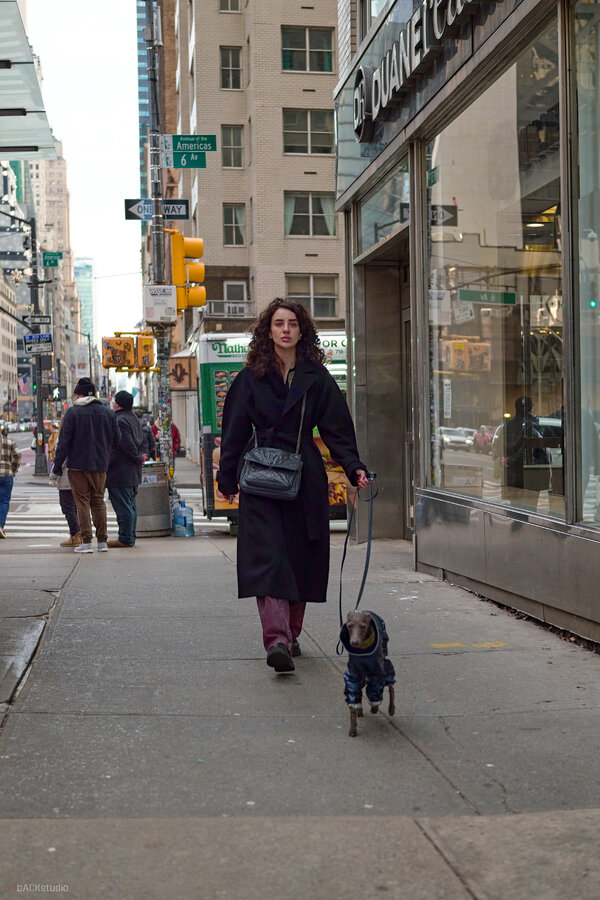
 2025 NYC Dec 35 by fe_no_me_no, on Flickr
Lovely shots. That 100-500 is looking pretty effective!
Love that last one!!Some candid street photos/portraits from NYC this weekend.
View attachment 161172025 NYC Dec 14 by fe_no_me_no, on Flickr
View attachment 161182025 NYC Dec 11 by fe_no_me_no, on Flickr
I’m not much for portraits, but I really like the framing on this one.Some candid street photos/portraits from NYC this weekend.
Thanks, I saw the cutout and went straight for it when I saw the woman begin to take out her camera and grab a shot of it from the other side. My wife thought I was nuts.I’m not much for portraits, but I really like the framing on this one.
Agreed, a great lens, little complaints when used for this type of work. I do wish it what a 40mm as the extra 5mm is a little tight on crowded NYC sidewalks. But then again, I would have tried to shoot a little differently with the 45, (more distance from subject with viewpoint of looking from street in towards buildings/windows like some of Helen Levitt's work). But with crowds, traffic, and barricades, this is a bit more of a challenge. Especially when walking with someone else...Great photos, and that Sigma 45mm is a great lens.
Thank you sir…Love that last one!!

Yes, indeed it‘s excellent troughout its whole range.Lovely shots. That 100-500 is looking pretty effective!